Synchronization
Supported protocols
Features
You can sync a subfolder instead of the whole remote folder, e.g. only root/notes within root.
You can generate private and public ssh keys within Zettel Notes. Git and SSH synchronization support keys generated via Keys Manager. See Keys Manager
To sync every time a note is saved, enable Settings > Synchronization > Trigger sync on saving note.
Background synchronization
To enable background sync, turn on Settings > Synchronization > Enable background synchronization
Optional constraints:
- Only sync while device is charging
- Only sync while on WiFi
- Only sync when battery level is above defined level
Available intervals:
If syncing is slow, you can restrict it to run only while the app is in the background.
Tip
Sync settings can be overridden per repository, e.g. Wi-Fi only for one and charging only for another. Go to Repositories > <Repository> Setting > Edit Synchronization > Configure synchronization.
Manual synchronization
To sync only manually, disable these options in Settings > Synchronization
- Enable background synchronization
- Trigger synchronization on
- Application start
- Saving note
- Swipe refresh
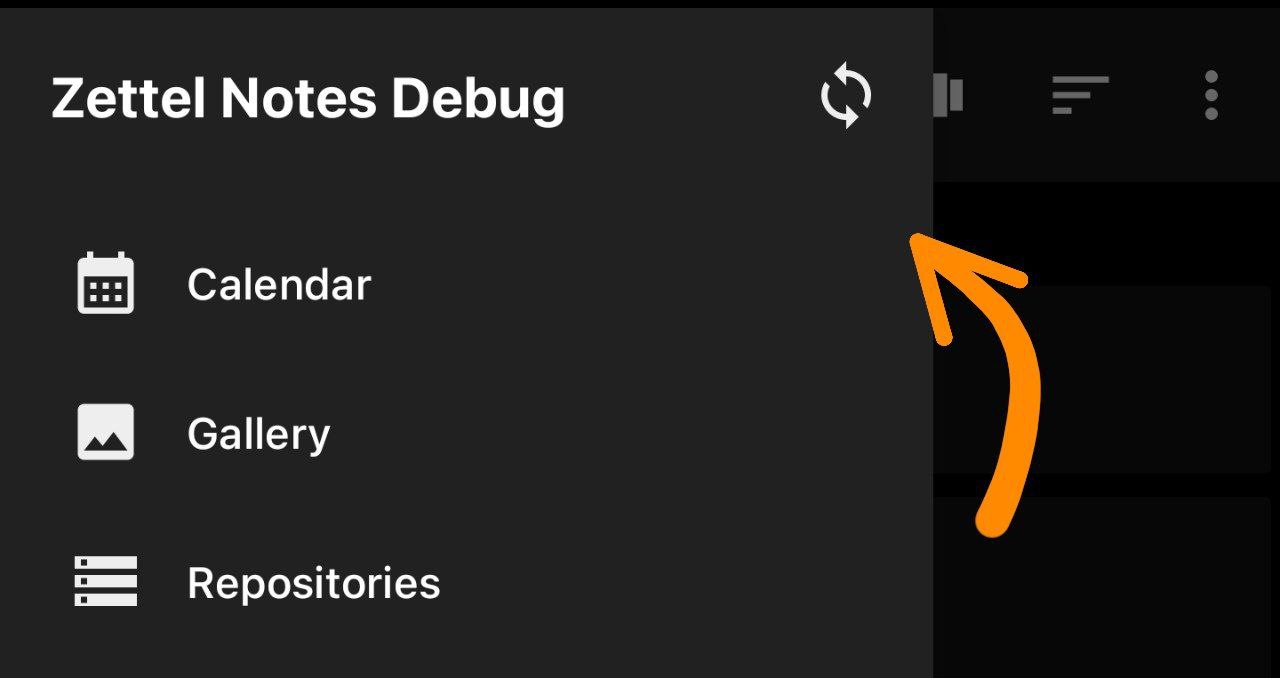
Then sync by tapping the sync button in the left navigation drawer.
Configure Conflict Resolution
Configure conflict handling in Settings > Synchronization with the Conflict Resolution and Merge Strategy options. These apply to all sync methods.
- Conflict Resolution
- Auto
- The default strategy
- Prefer Local Changes
- Changes in Zettel Notes overwrite changes on the server
- Prefer Remote Changes
- Changes on the server overwrite changes in Zettel Notes
- Auto
- Merge Strategy
- These options are enabled only for Auto Conflict Resolution strategy
- 3 options are provided
- Default
- Merge changes from Zettel Notes and the server
- Prefer Old Changes
- Older changes win, from either side
- Prefer New Changes (Preferred Option)
- Newer changes win, from either side
- Default